> For the complete documentation index, see [llms.txt](https://help.carmochi.com/llms.txt). Markdown versions of documentation pages are available by appending `.md` to page URLs; this page is available as [Markdown](https://help.carmochi.com/account/invoice/invoice-merge.md).

# 電子發票如何歸戶呢？

如何歸戶電子發票？

{% hint style="info" %}

* 訂單完成後，ezPay 公司 Email 寄出 「 電子發票開立 」 通知信」給您。
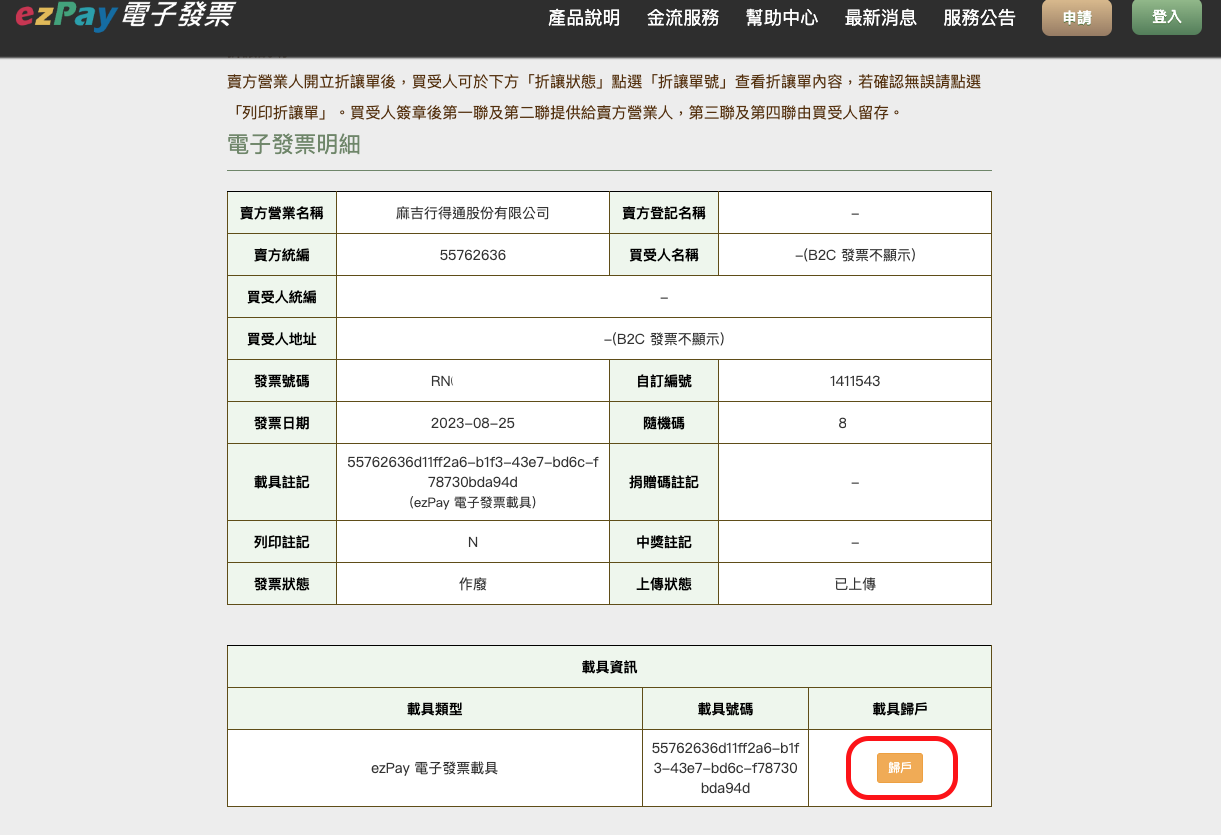
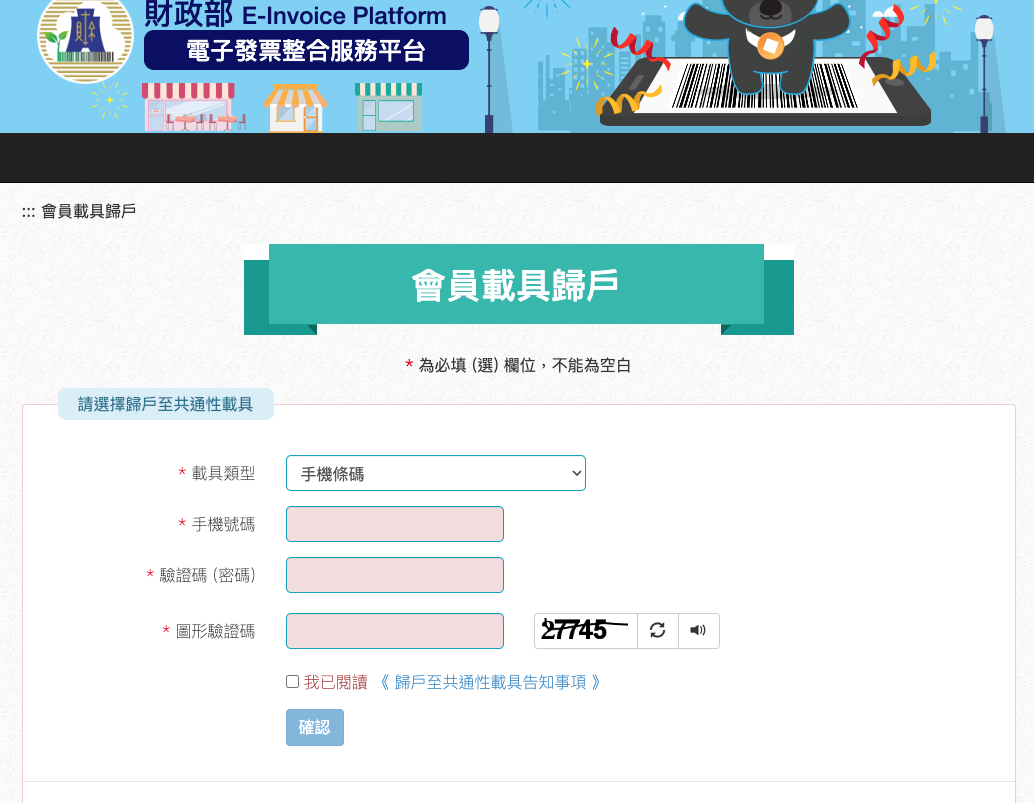
* 請於通知信點選「**發票明細**」，前往 ezPay 系統選擇 「 **歸戶** 」，即可至 [電子發票整合服務平台](https://www.einvoice.nat.gov.tw/index) 進行歸戶。
* 上述步驟只需操作一次，日後您的所有發票將自動歸戶到您指定的載具中。
  {% endhint %}

![發票明細](https://content.gitbook.com/content/QNVRGvCmDAdFct6FIoQE/blobs/cBu49g0sCy9geL09kIHS/%E7%99%BC%E7%A5%A8%E6%94%B6%E6%93%9A.png)

<figure><img src="https://content.gitbook.com/content/QNVRGvCmDAdFct6FIoQE/blobs/f0zXXwaqDZuyN3Nb68Sk/EZPAY%E6%AD%B8%E6%88%B6.png" alt=""><figcaption><p>ezPay歸戶</p></figcaption></figure>

<figure><img src="https://content.gitbook.com/content/QNVRGvCmDAdFct6FIoQE/blobs/Y0aIKmMxqwEslrmG1lPB/%E6%AD%B8%E6%88%B6%E8%A8%AD%E5%AE%9A.png" alt=""><figcaption><p>電子發票整合服務平台</p></figcaption></figure>

***

<sub>#發票 #電子發票 #歸戶 #會員載具 #載具</sub>